
Week Totals That Add Up, and Sessions You Can Keep
by The Next Race
The Summary column on the right of your plan shows each week's distance and time, so you can see a week's volume while you build it. Last week a runner wrote to tell us the time looked wrong. Some of their runs didn't count at all, and even adding up the times shown on each session, the week came out about an hour short.
They were right. Two changes went live today because of it.
Every Session Counts
Since late September, a session created on the web was saved without its time estimate until you opened and saved it again. The Summary counted a 10K easy run as no time at all, and an interval session only by its timed recoveries: 15 minutes for a session that takes an hour.
That's fixed, and the sessions already in your plans have been corrected.
Totals From Your Own Paces
The Summary no longer relies on a number saved with each session. It works every session out from its steps, the same way the session does when you open it:
- A step with a pace target uses that target.
- A step without one uses your pace zones, worked out from the threshold pace in Settings → Physiology.
- Without a threshold pace, it falls back to a typical easy, steady or hard pace.
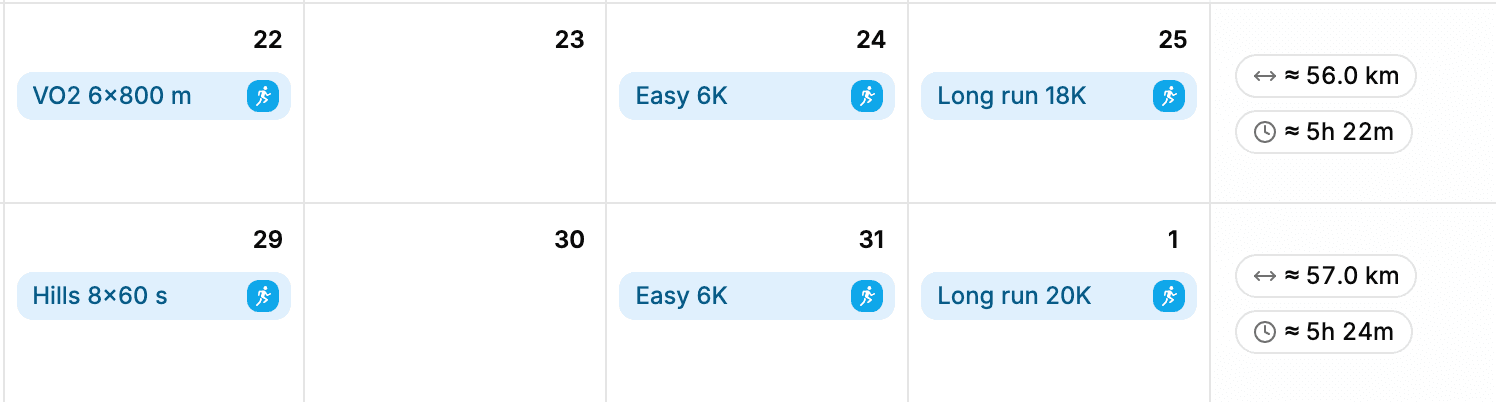
So the week's time is now the sum of what each session says. Change your threshold pace and every week updates with it. The ≈ in front of a total means part of it is estimated: a distance step turned into time, or a timed step turned into distance.
The monthly totals in the year view work the same way. Coaches see their athlete's weeks in the athlete sidebar worked out from the athlete's paces, not their own.
Keep Your Best Sessions
The same runner had a second question. They wanted a set of interval sessions (VO2, threshold, tempo, race pace) in their library to pull into their plan, then adjust the pace or the number of reps for one week without touching the original.
Every planned session now has Add to my library. Right-click a session in the calendar, or open it and use the ⋯ menu. The steps, title, description, sport and type go into your library under Workouts.
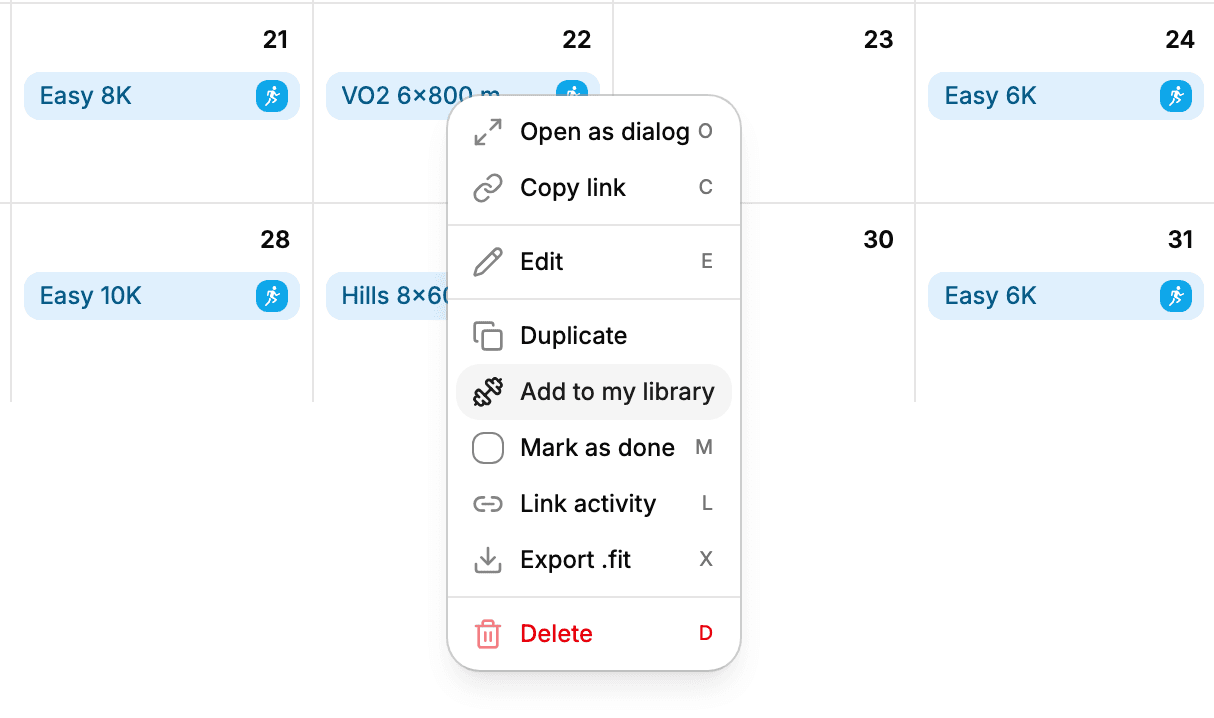
It works on plans shared with you too, even if you can only view them, since the copy goes into your own library.
Building a Week From Your Library
Getting a library session into a plan:
- Open Workouts, then the ⋯ menu on a session, and choose Pin to sidebar.
- Drag the session from the sidebar onto a day in your plan.
What lands in the plan is a copy. Change the pace, the distance or the number of reps for that day, and the session in your library stays as it was. Drag it in again next week and start from the original.
If you plan in blocks, a sequence does the same for several days at once. Create one under Workouts with a session for each day, pin it, and drag it onto the first day.
Getting It
Both changes are live on the web now, so the Summary column in your plans is already up to date. New to TNR? Get started.
Thanks to the runner who wrote in. If something in your plan doesn't add up, tell us under Settings → Feedback.