
Analytics
See what each session did.
And what the weeks add up to.
Open a run, ride or swim for its splits, time in zones and the route, with pace, heart rate and power traced along it. Fitness, best efforts and recovery show where your training is going, from the data your watch already records.
See your training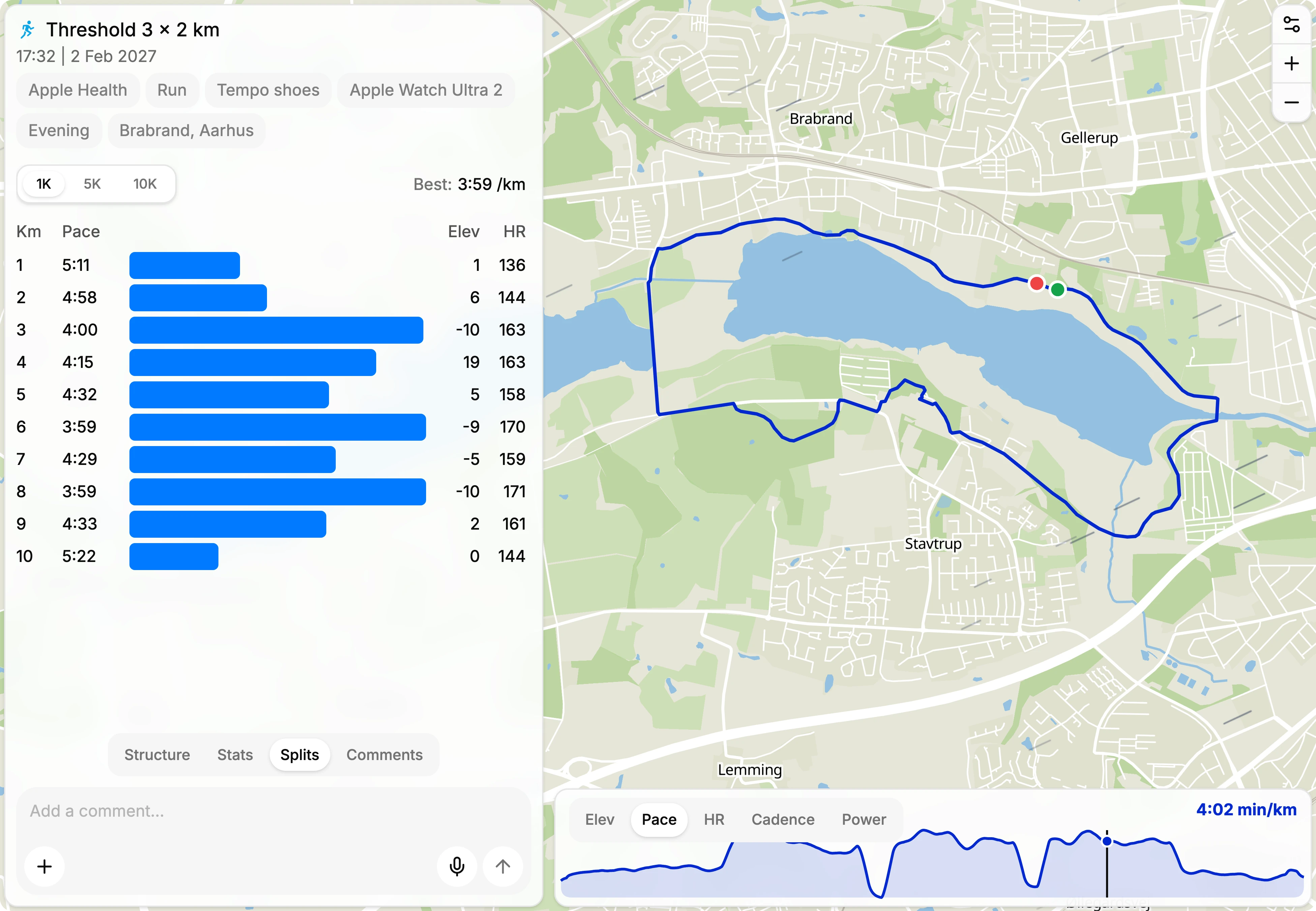
Time in zones
Heart rate, pace and power zones on your activities, worked out from your own thresholds.
Fitness and form
Fitness, fatigue and form from the training load of everything you sync or upload.
Best efforts
Your power curve and fastest times, each linked to the activity that set it.
Recovery score
A daily score from HRV, resting heart rate and sleep, adjusted by how you feel.
Fitness and form
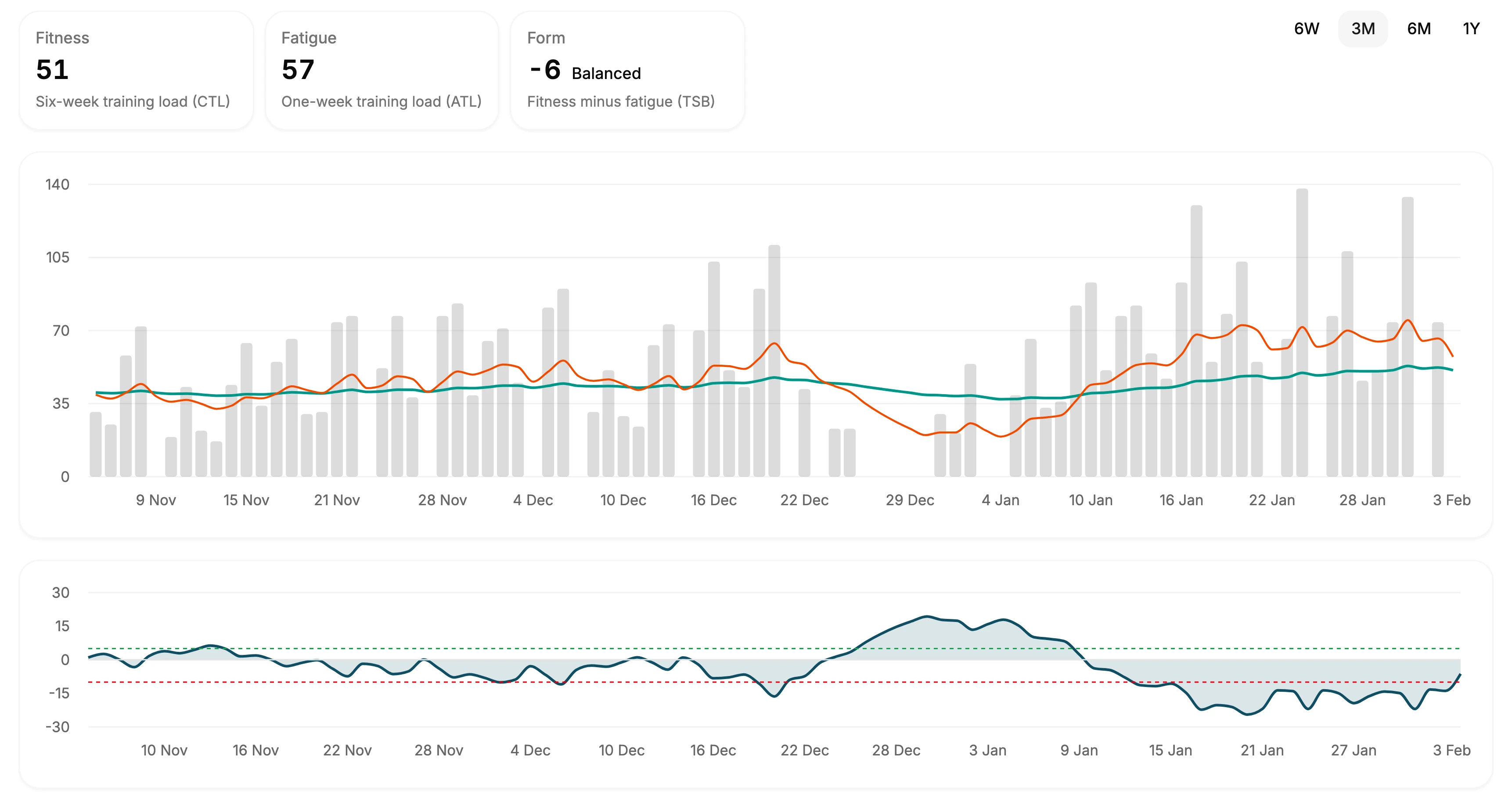
Watch your fitness build.
Fitness is your six-week training load, fatigue is the last week, and form is the gap between them. Form tells you whether you are fresh, balanced or fatigued today.
Below the chart sit your weekly volume by sport and your baselines: your normal pace, heart rate, distance and sleep over the last 13 weeks, with the range you usually land in.
Best efforts
Every record, found for you.
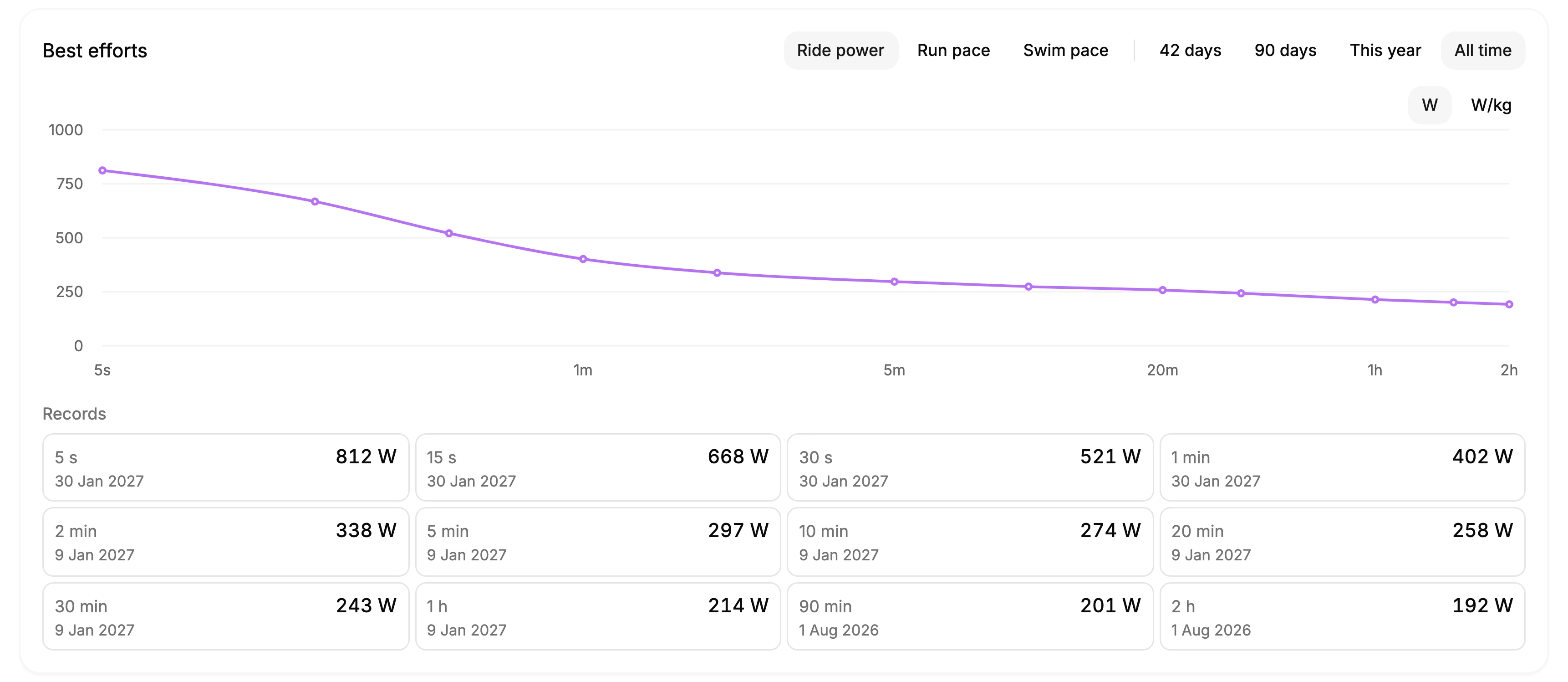
TNR reads the detail of each activity for your best efforts: a power curve from 5 seconds to 2 hours on the bike, your fastest 400 m up to the marathon on foot, and 100 to 1500 m in the water.
Compare the last 42 or 90 days, this year or all time, in watts or watts per kilo. A new record shows on the activity that set it.
Recovery
Know when to push and when to rest.
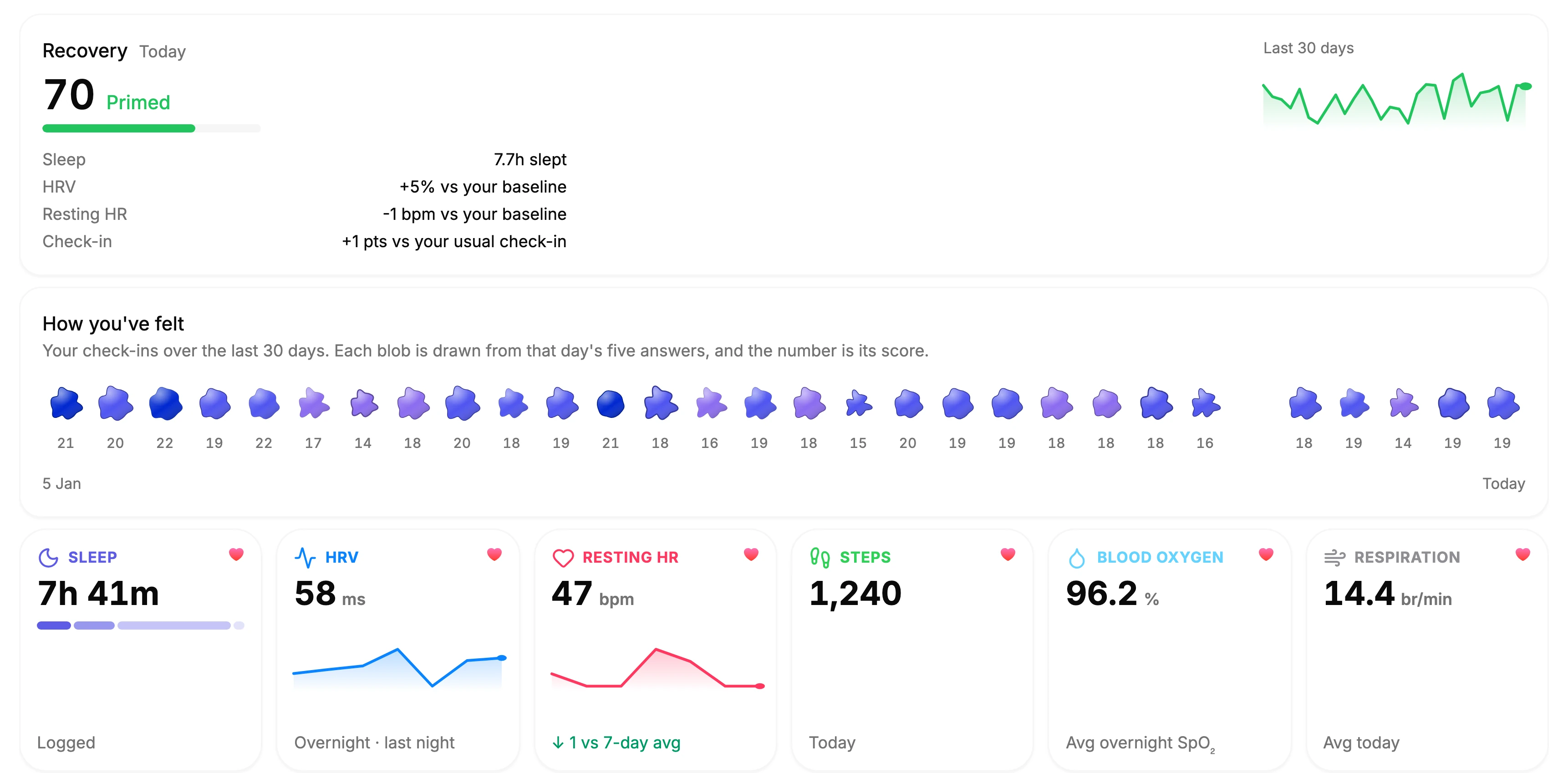
Connect a wearable and TNR scores your recovery each day from HRV, resting heart rate, sleep and breathing rate, against your own baseline. Two low days in a row and it suggests an easy or rest day.
A daily check-in of five quick questions adjusts the score. With enough history, insights show what tends to move it, like the day after a hard session.
Frequently asked questions
Yes. Analytics are part of The Next Race, which is free to use with an account.
Activities sync from Garmin, Polar, Wahoo and Fitbit, and from Apple Health through TNR Go, or you can upload FIT, GPX and TCX files. The recovery score needs a wearable that tracks sleep and HRV: Garmin, Polar, Oura, Fitbit or Apple Health.
Each activity gets a load from the best signal it has: power against your FTP, heart rate against your threshold heart rate, your effort rating, or pace against your threshold pace. Without any of those, its duration counts. Fitness, fatigue and form are built from those loads.
They make zones and training load more accurate. Set your FTP, threshold heart rate and run and swim threshold pace under Settings, Physiology, and adjust your zones under Settings, Zones. TNR Go suggests a new value when your activities show one, so they stay current.
Every activity in TNR Go has a Charts tab: pace, heart rate, cadence, power, stride length and elevation, your heart rate against your normal at the same pace, and heartbeats per kilometre. Runs with files from Garmin, Apple Watch, Polar or Wahoo add ground contact time, vertical oscillation and vertical ratio, and pool swims show SWOLF and strokes per length.
Yes. On Monday morning TNR emails a recap of last week's training and next week's plan. You can turn it off under Settings, Notifications.