
Training calendar
Plan every week up to race day.
Watch them add up.
Put your sessions on the calendar, drag them to the days that work, and see each week's distance and time in the Summary column. Your races, the weather and the activities you've done sit on the same page.
Start a plan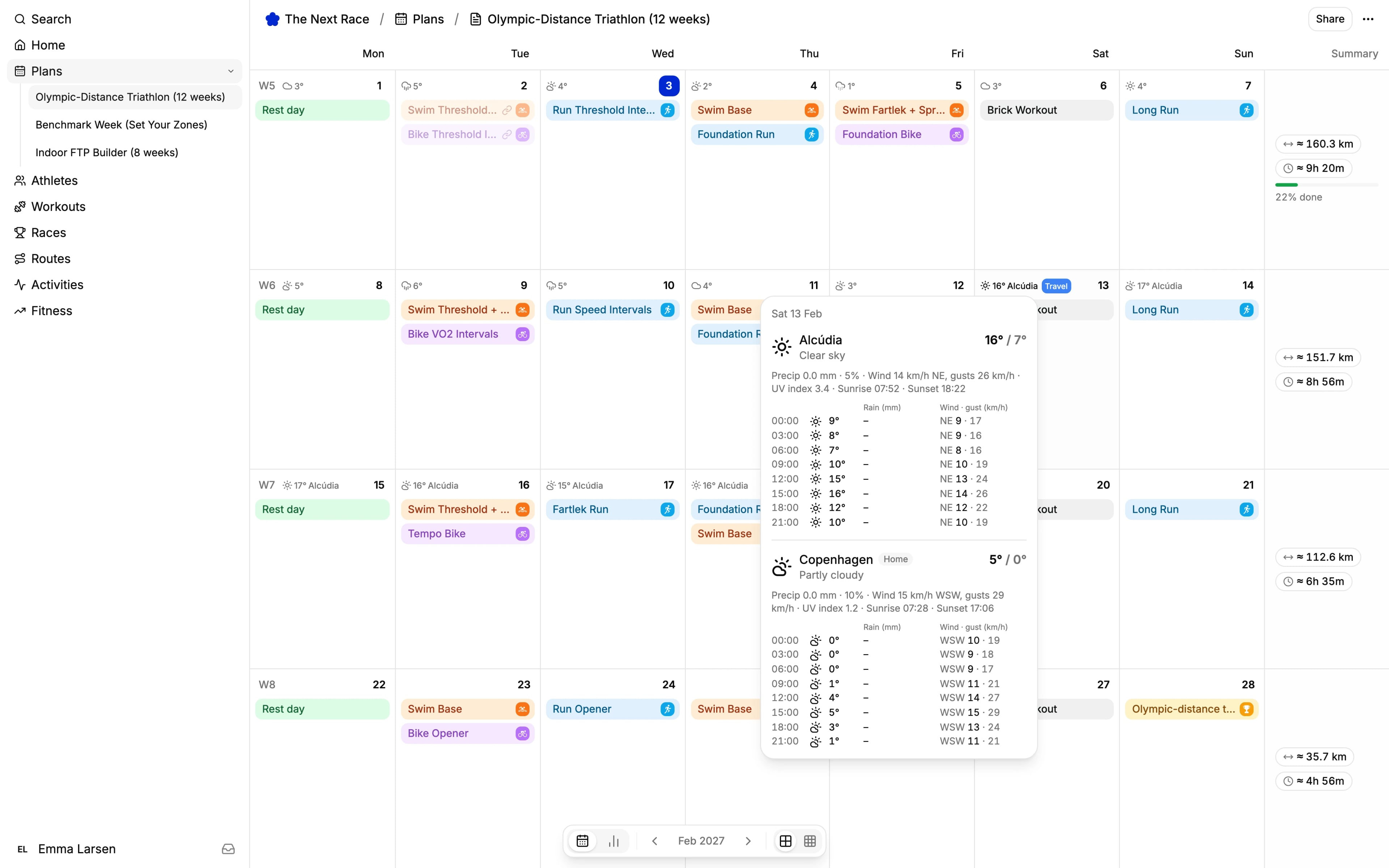
Weekly totals
The Summary column adds up each week's distance and time. Once the week starts, it shows how much is done.
Drag and drop
Drag a session to another day to move it. Hold Alt (Option on a Mac) while you drop to copy it instead.
Weather on every day
Sixteen days of forecast on the calendar, for home or for wherever you'll be.
Month or year
Plan a month at a time, or zoom out to the year with distance and time for every month.
Races
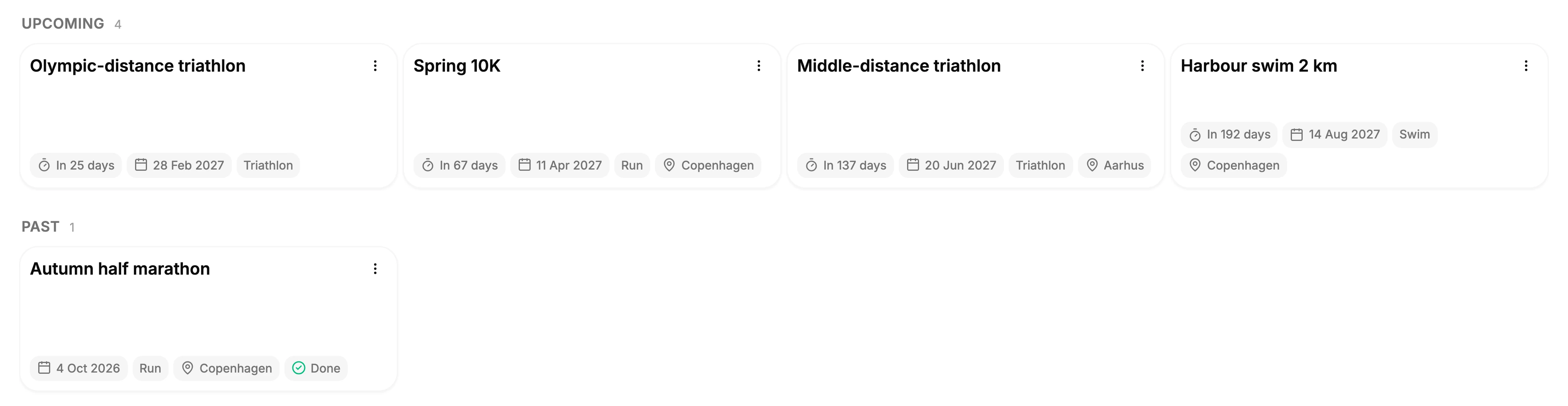
Every race in your season, counting down.
Add a race with its date, sport and place. It shows on race day in the plan it belongs to, and the Races page counts down the days to each one.
Put a tune-up race and your goal race in the same plan, or keep a race on its own until you're ready to plan for it. After the race, link your activity to see its stats and splits on the race.
Training plans
Start from a ready-made plan.
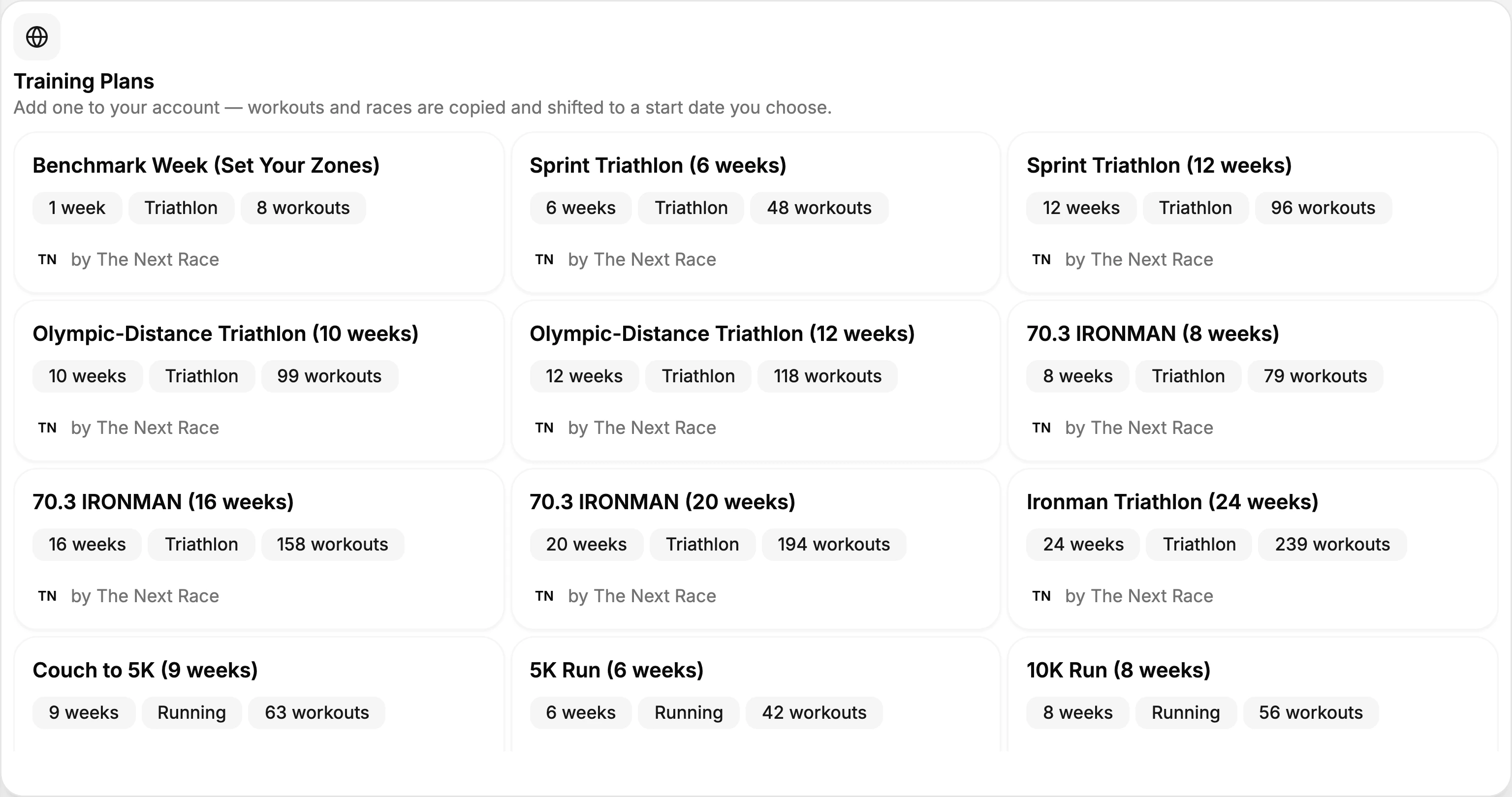
Pick from 27 free plans by The Next Race, from couch to 5K to a full-distance triathlon, with cycling and HYROX plans too. Preview every week before you add one.
Choose a start date, or enter your race date and the plan is built backward from race day. Its workouts and races are copied into your account, ready to change. See them all under training plans.
Sharing
Share a plan with a link.
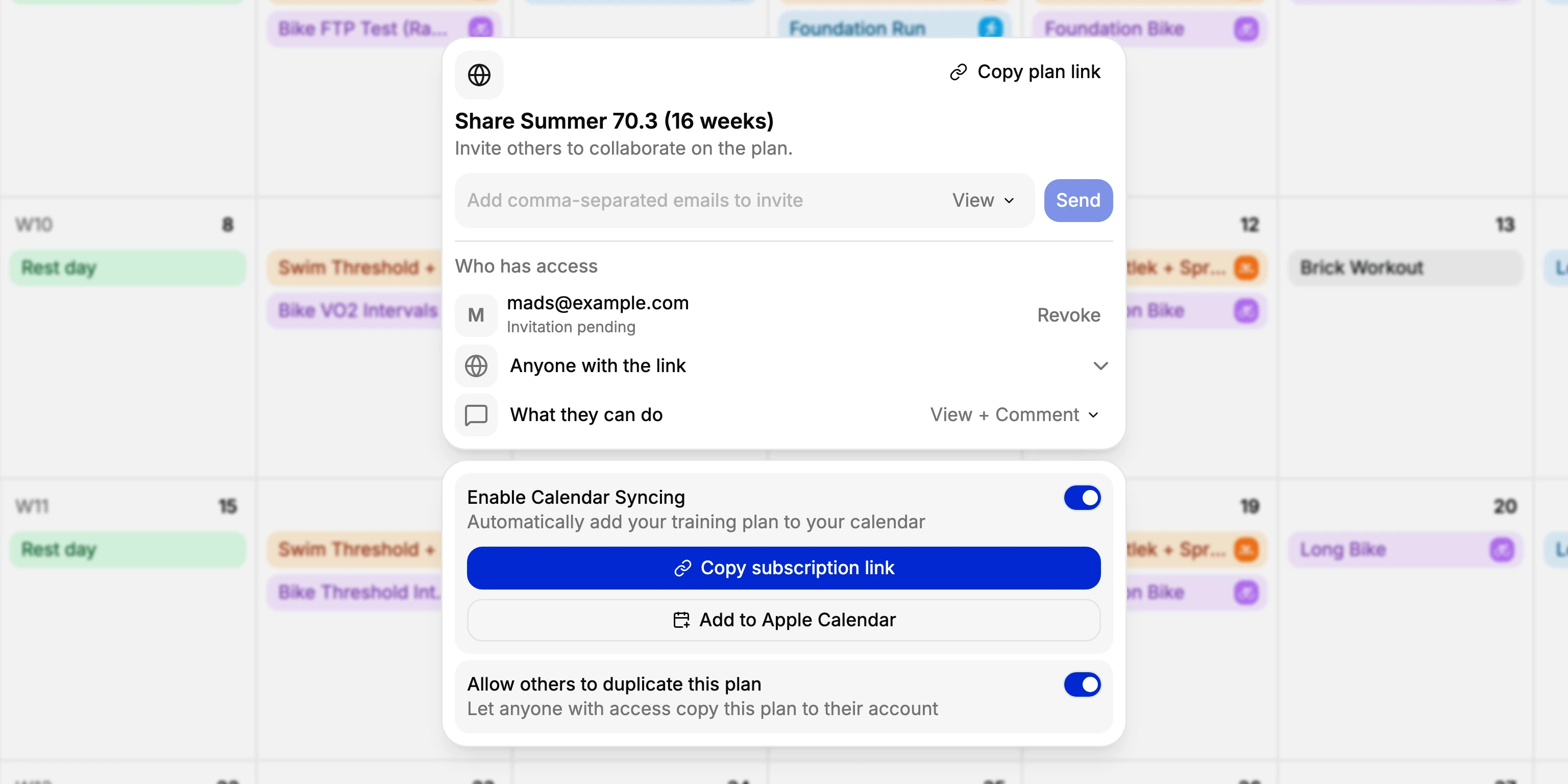
Invite people by email, or let anyone with the link and an account open the plan. Choose whether they can view, comment or edit, and talk a session through in its comments.
Turn on calendar syncing to see your sessions in Apple Calendar, Google Calendar or any calendar app that takes a subscription link. Allow duplicating, and others can copy the plan to their own account.
Frequently asked questions
Yes. The training calendar is part of The Next Race, which is free to use with an account.
Yes. When you create a plan, add your race and turn on Build the training for me. Pick the sport, the distance, your hours a week at peak and your training days, and TNR fills the plan with base, build, peak and taper, worked back from race day. Every session is an ordinary workout you can move, edit or delete.
Yes. When the match is clear, a synced or uploaded activity links itself to the session planned for that sport on that day, and you can link one by hand too. Linked sessions count toward the week's percentage done in the Summary column.
Yes. Right-click a day and choose Annotate, then Travel, Sick, Race, Deload or Recovery. The label shows on that day of the plan.
From Open-Meteo, for the city on your profile. Add other places under Settings, Weather, such as a training camp or a race venue, and on those days the calendar shows their forecast instead of home's.
Yes. TNR Go shows your plan a week at a time, with the countdown to your next race and the forecast for the day.