
Coaching
Every athlete's week on one screen.
Every conversation in one inbox.
Invite your athletes, give each one a plan, and see who is on track and who needs attention. Comments, voice notes and messages from all of them land in one inbox.
Start coaching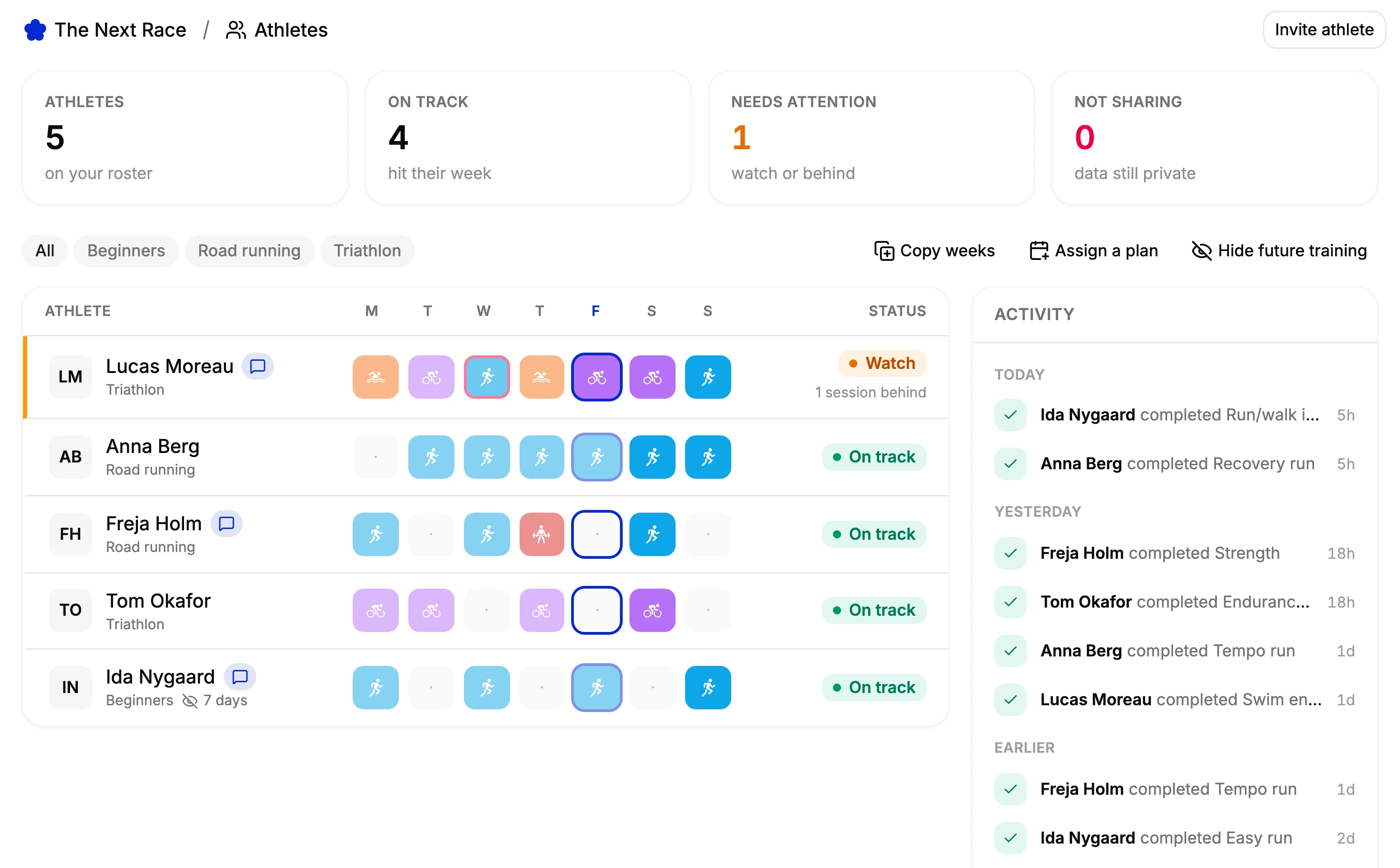
Invite by email
Athletes accept and choose what you see, with a switch for each kind of data.
One plan, many athletes
Assign a plan to several athletes at once. Each gets their own copy, and you can pick the start date.
Hide what's ahead
Choose how far ahead athletes see your training. You still see all of it.
Their fitness too
Switch the Fitness page to an athlete for their load, best efforts and recovery.
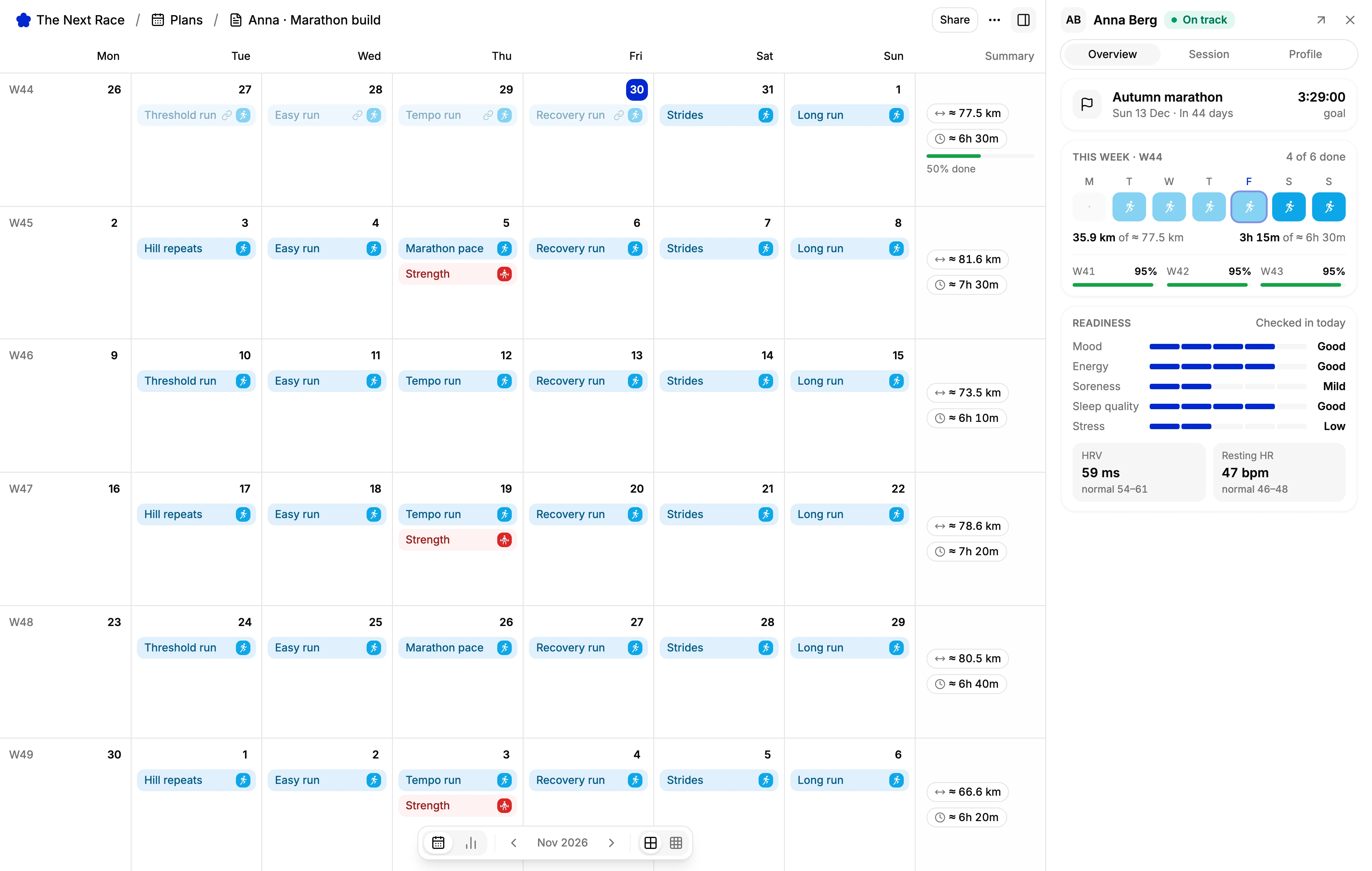
Athlete calendars
Plan their weeks with them beside you.
Open a plan you made for one athlete and they appear beside the calendar: their goal race, how this week is going, and the check-in, HRV and resting heart rate they share with you.
Click a session to see its targets in their zones, how it went last time and the comments on it. Their thresholds sit one tab over, ready to edit.
Inbox
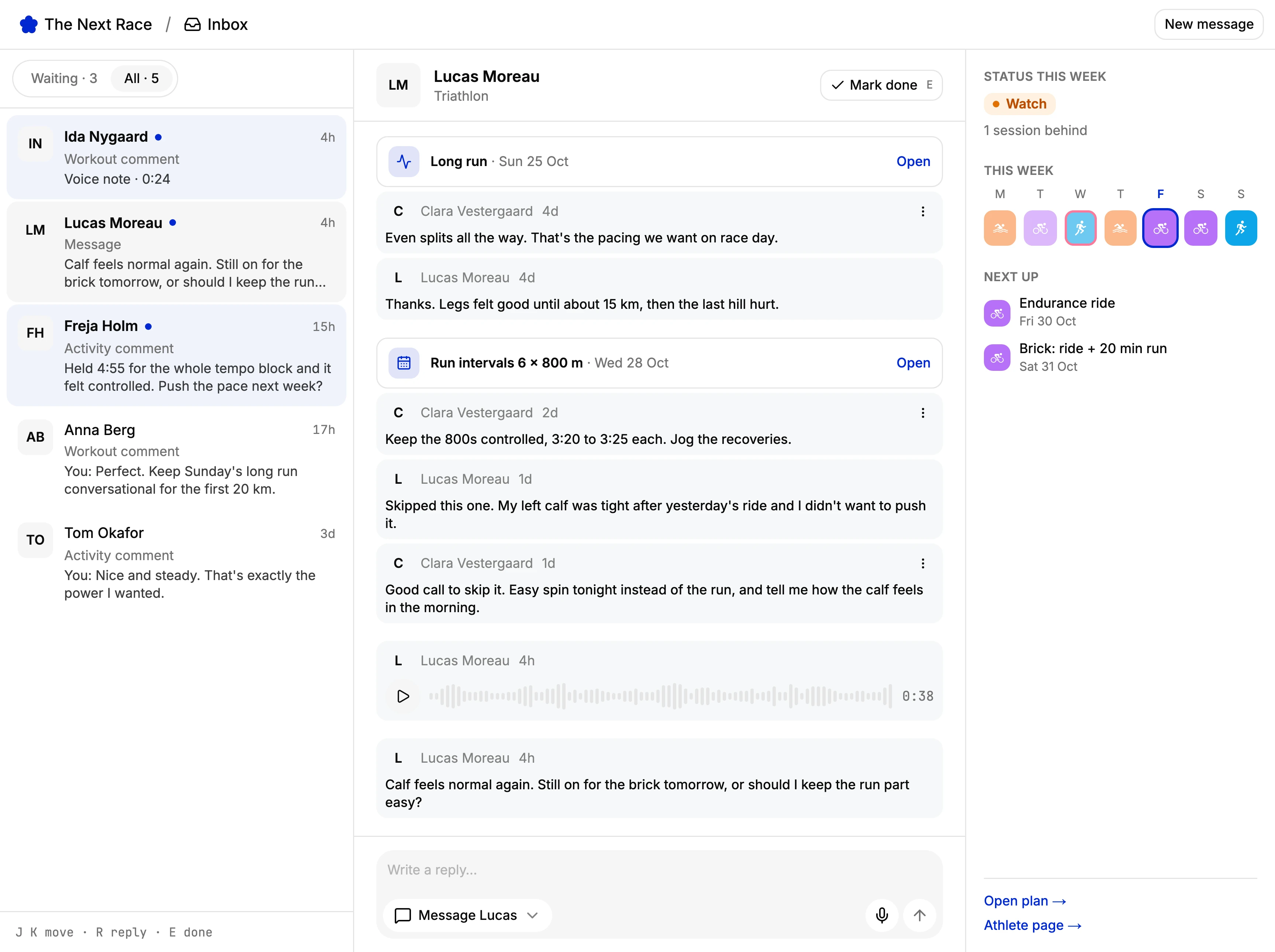
One conversation per athlete.
Comments on workouts, activities and races, voice notes and direct messages from each athlete gather in one thread. The ones waiting on you come first, and Mark done clears one without a reply.
Reply on the session it's about or send a message, typed or recorded. To reach a whole group, send one message to a tag and each athlete gets it in their own conversation.
AI assistants
Coach from your AI assistant too.
Connect an AI assistant to The Next Race and it can list your athletes, read their training and plan sessions for them, within what each athlete shares with you.
It can work through your inbox as well: read a conversation, send a message to one athlete or a tag, and mark it done. The same tools are in the TNR API and command line.
Frequently asked questions
Yes, for up to five athletes, counting invites that are still pending. Coaching a squad or a club? Email contact@thenextrace.app and we'll set you up.
Only what the athlete shares. When they accept your invite, they choose one by one whether you see their activities, training plan, daily health, physiology, and injuries and illness, and they can change it later.
Yes. Assign a plan to as many athletes as you like and each gets their own copy, so their sessions tick off on their own. You can also copy a few weeks of a plan into each athlete's own calendar.
Yes. A plan you make for one athlete goes to their Garmin or Wahoo, or their Apple Watch through TNR Go, not to yours.
No. Athletes can follow their plan, comment and message you on the web. With TNR Go on their iPhone, they also get a push notification when you write.
Yes. The Final Surge tile in Settings, under Connectors, imports your workout library and training plans with a small Chrome extension, and nothing in Final Surge changes. Then assign the plans to your athletes with any start date.