Workout builder
Build every step of the session.
Then follow it on your watch.
Warm-up, intervals, repeats and cool-down, with pace, heart rate or power targets from your own zones. Put it on your calendar and it goes to Garmin, Wahoo or your Apple Watch.
Build a workout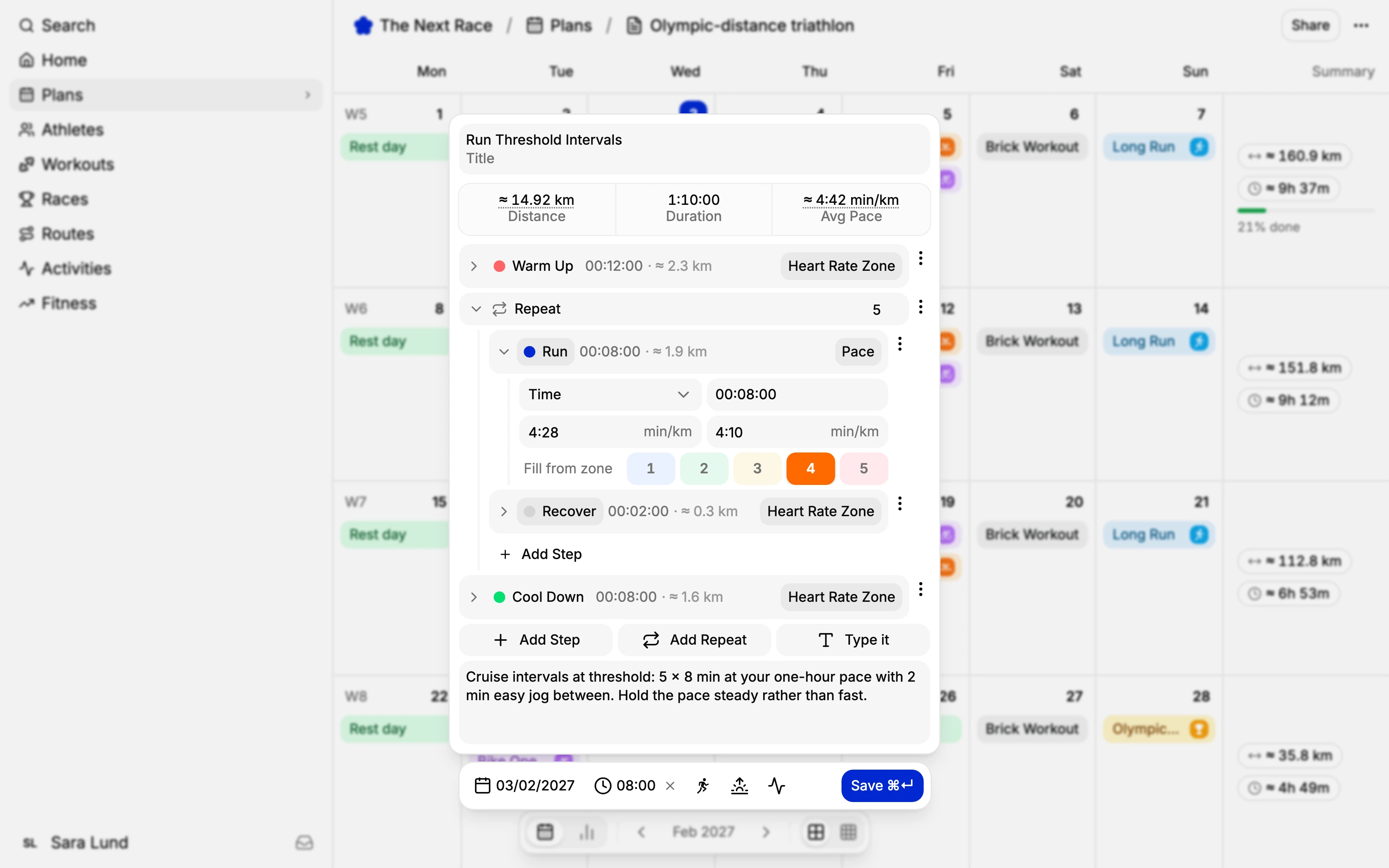
Steps and repeats
Warm-up, work, recovery and cool-down. Wrap the main set in a repeat and set the count.
Targets for each sport
Pace, heart rate and RPE on runs. Power zones, % of FTP and watts on rides. Pace and effort on swims.
Your library
Save the sessions you reuse, file them in folders, and pin one to the sidebar to drag onto any day.
Ready-made workouts
Browse workouts by The Next Race, see every step, and add the ones you like to your library.
Strength and HYROX
Sets, supersets and stations.
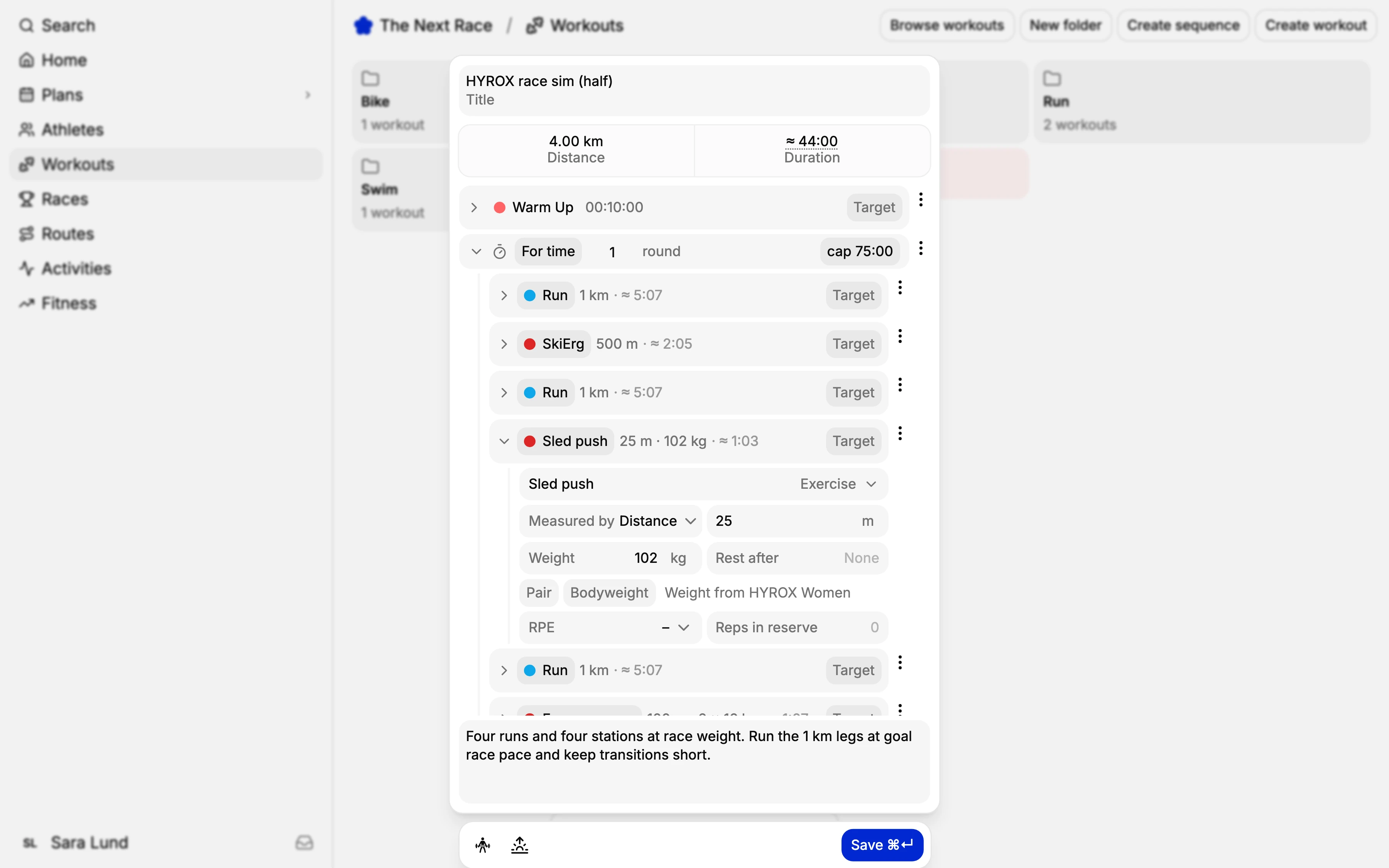
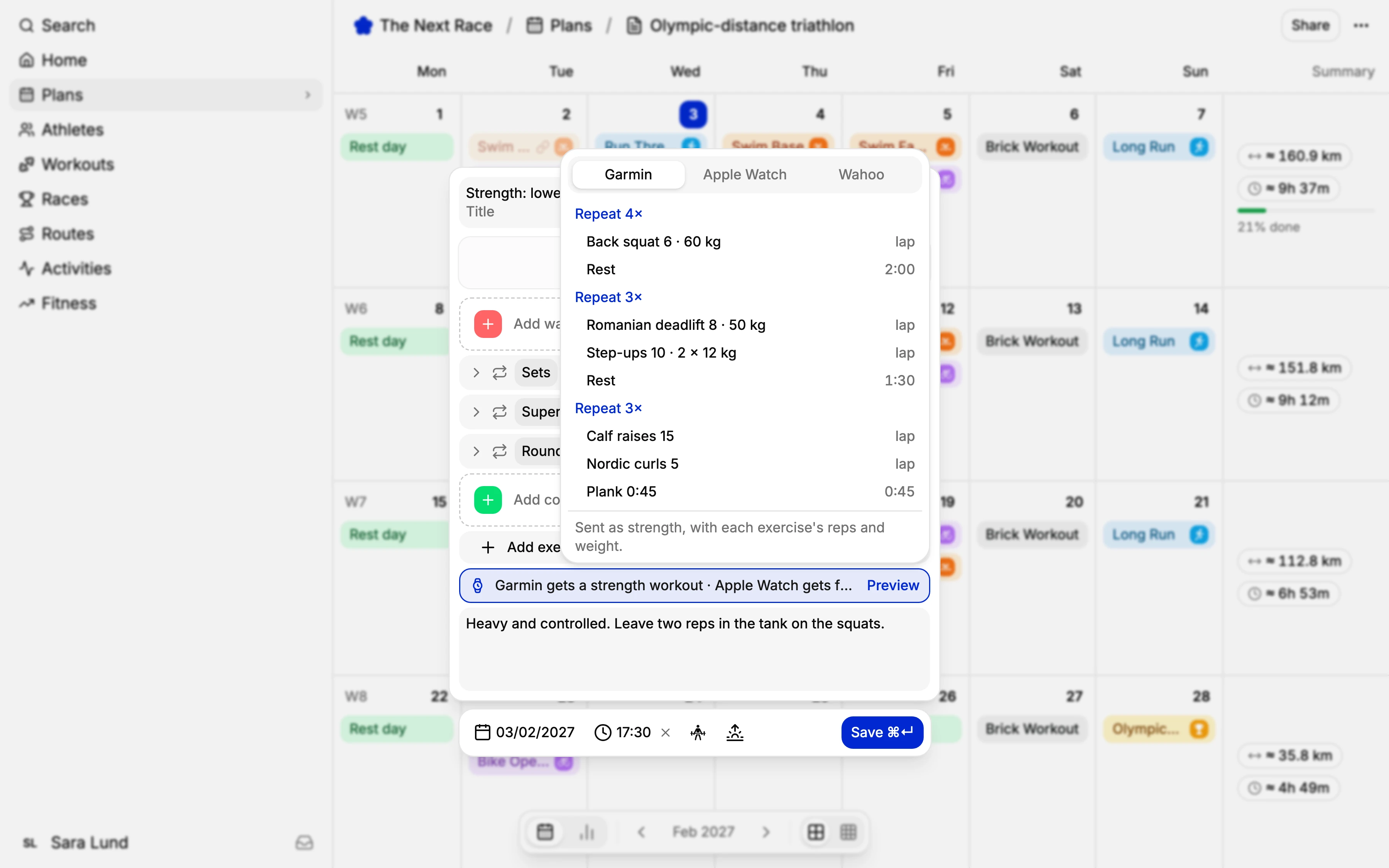
Strength sessions are built from blocks: sets, supersets, rounds, for time, EMOM, AMRAP or on and off. Search for an exercise, then set the reps, the weight, the rest after and the reps in reserve.
For HYROX, the stations are in the exercise list and runs go between them. Set your division once and the station weights fill in. TNR Go has its own HYROX builder, with race sim templates to start from.
Type it
Write it the way you'd say it.
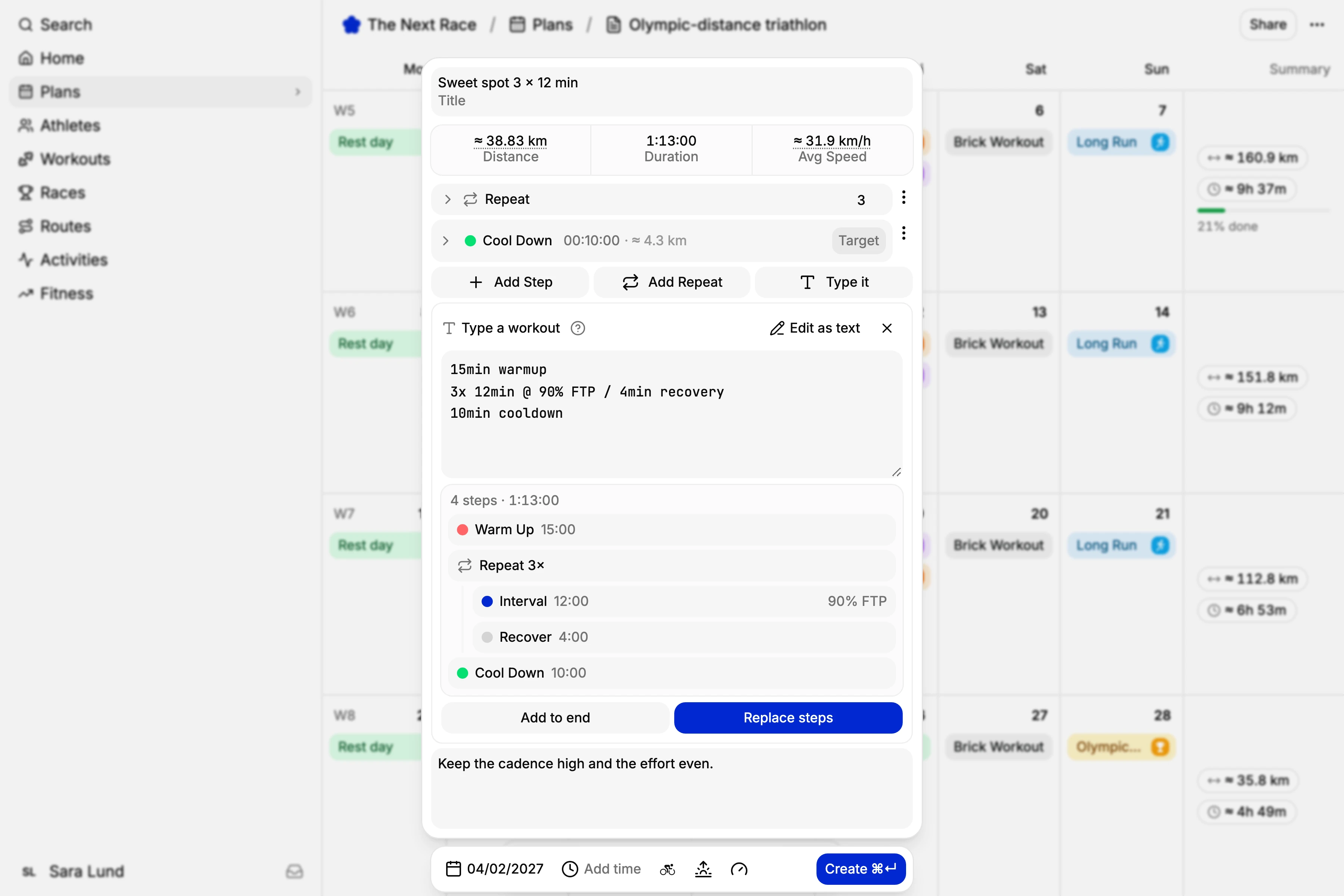
Choose Type it and write one step per line, like “3x 12min @ 90% FTP / 4min easy”. The steps show up as you type, then replace the ones you have or go at the end.
Zones, paces, heart rate, watts and words like tempo or threshold all work, and so does “back squat 4x6 @ 70kg”. Edit as text turns the steps you already have back into text.
On your watch
Ready on your wrist when you are.
Connect Garmin and your planned runs, rides, swims and strength sessions land on the Garmin Connect calendar, step by step. Choose per plan how far ahead to send them. Wahoo gets your rides and runs a week ahead.
In TNR Go on iPhone, turn on Send planned workouts to Apple Watch and the coming week shows up in the Workout app. When the activity comes in, TNR matches it to that day's session and ticks it off.
Frequently asked questions
Yes. The workout builder is part of The Next Race, which is free to use with an account.
Garmin and Wahoo, once you connect them, and Apple Watch through TNR Go on iPhone. Wahoo takes rides and runs. You can also export any workout as a .FIT file.
You choose for each plan: the next 7, 14 or 28 days, or the whole plan. New days are sent overnight, and when you move, edit or delete a workout in TNR, Garmin follows.
Yes. Choose Type it under the steps and write one step per line, like “15min warmup” or “3x 10min @ Z4 / 3min easy”. The steps show up as you type. The tnr command line tool reads the same text.
Yes. The HYROX stations are in the strength builder's exercise list, and you can put runs between them. Set your HYROX division in your physiology settings and the station weights fill in for you.
They're made by The Next Race. Open Workouts and choose Browse workouts to see them. Add to my library saves a copy you can change and use in any plan.