
Inbox
Every athlete, every comment.
One inbox.
Comments on workouts, activities and races, voice notes and messages from all your athletes gather in one conversation per athlete. The ones waiting on you come first.
Start coaching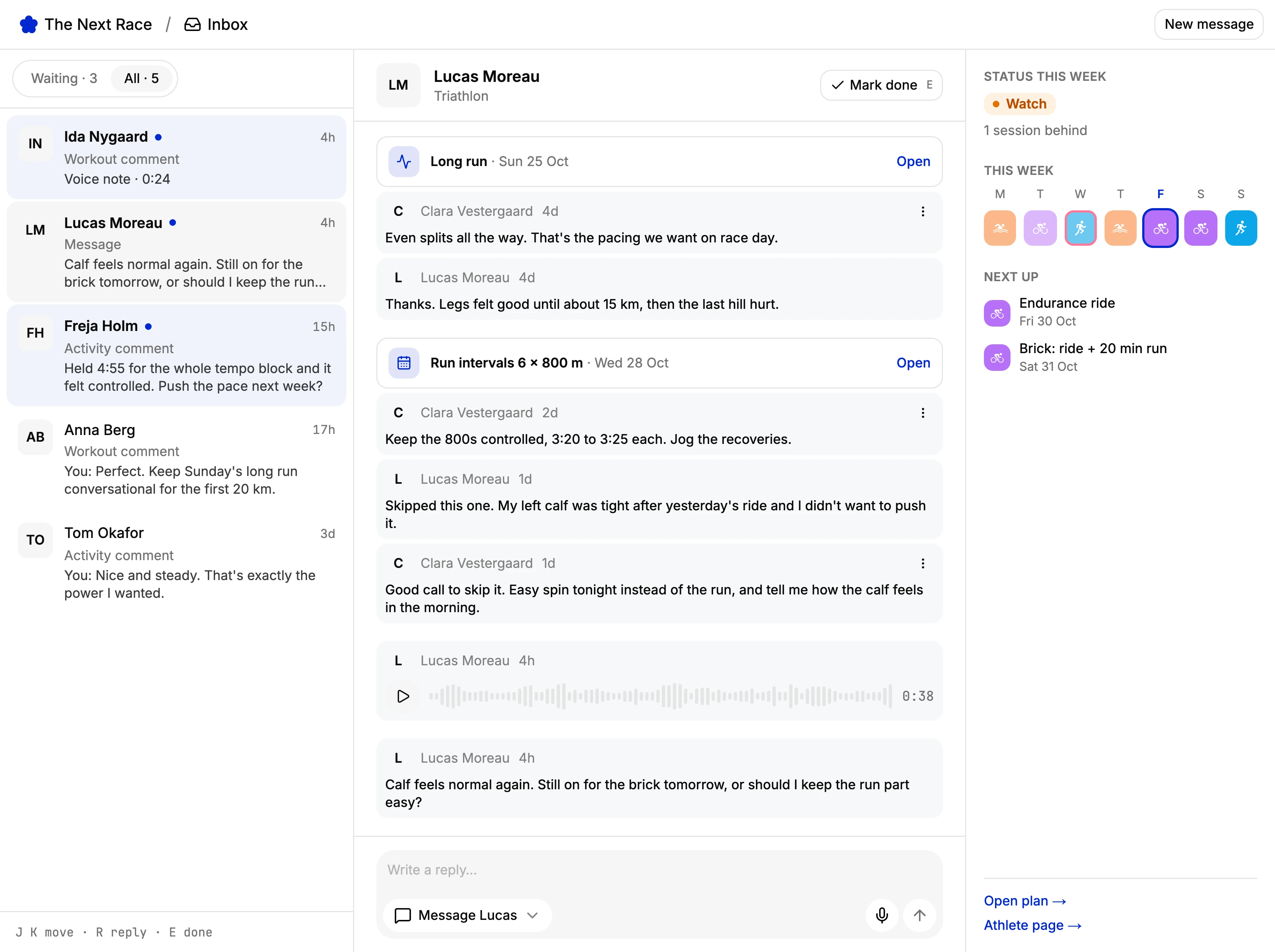
Waiting first
Conversations that need an answer sit at the top, with a count in the sidebar.
Reply where it happened
Answer on the workout, activity, race or injury the athlete wrote about, or send a message.
Voice notes
Record a reply instead of typing it. Your athletes can send you one too.
Made for the keyboard
J and K move between conversations, R replies and E marks one done.
Waiting for you
See who needs an answer.
Every comment, voice note and message from an athlete lands in their conversation, and the ones waiting on you come first. Switch between Waiting and All, and the sidebar shows how many are waiting.
Talked it through at the track, or nothing to add? Mark done clears a conversation without a reply. It comes back as soon as the athlete writes again.
Context
The session is right there.
Each comment arrives with the workout, activity, race or injury it is about, one click from the plan. Beside the thread you see the athlete's week: how it is going and what is next.
Your reply goes on the session they wrote about, or as a direct message, typed or recorded. You can edit or delete what you sent.
Groups
One message to the whole group.
Write to one athlete, or to a tag such as your marathon group. Each athlete gets the message in their own conversation, so replies stay one to one.
Athletes
Your athletes write back from anywhere.
Athletes message you from the web or from TNR Go, typed or as a voice note. Messages aren't tied to a workout, so they can ask you anything.
Everything arrives live, so a conversation you have open updates as they write.
AI assistants
Work through it from your AI assistant.
Connect Claude, ChatGPT or Codex to The Next Race and it can list what is waiting, read a conversation, message one athlete or a tag, and mark a conversation done.
The same tools are in the TNR API and command line.
Frequently asked questions
Coaches on the Coach and Coach+ plans, which start with a 14-day free trial. Athletes are always free, and they don't need a plan to write to their coach.
Everything an athlete you coach writes to you: comments on workouts, activities and races, notes on an injury or illness, voice notes and direct messages. Each athlete has one conversation, in time order.
When the athlete has written since you last replied. Replying clears it, and so does Mark done, for when you've talked in person or there's nothing to add. It comes back as soon as they write again.
Yes. Send one message to a tag, such as your marathon group. Each athlete gets it in their own conversation, so their replies come back to you one by one.
No. Athletes can comment and message you on the web. With TNR Go on their iPhone, they also get a push notification when you write.